
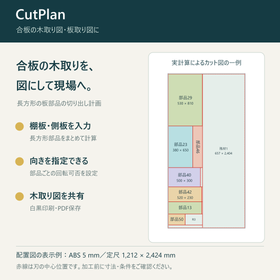
Create and print plywood cutting diagrams | CutPlan
How to cut shelf boards and side panels from plywood. You can create a cutting diagram for rectangular parts and share it in print or PDF format.
This is a Windows software for creating cutting diagrams to cut rectangular parts such as shelves, side panels, and dividers from plywood. You can check the layout of parts and the required quantities for each board. By inputting the width, height, and quantity of parts, as well as the actual dimensions of the available boards, and setting the blade width, processing allowance, and outer margin, calculations can be made. For parts where you want to maintain the grain or surface direction, users can align the orientation and prohibit rotation. You can print the adopted cutting diagram and board layout in black and white, and also save it as a PDF from the print screen. This can be used for preparation of woodworking cuts and sharing diagrams with processing personnel.
- Company:響己舎Labo
- Price:Other
